

Why Fast Internet Is Now a Must-Have Apartment Amenity
Apartments with high speed internet are no longer a luxury — they're what most renters expect before signing a lease.
Here's a quick look at what to know before you start your search:
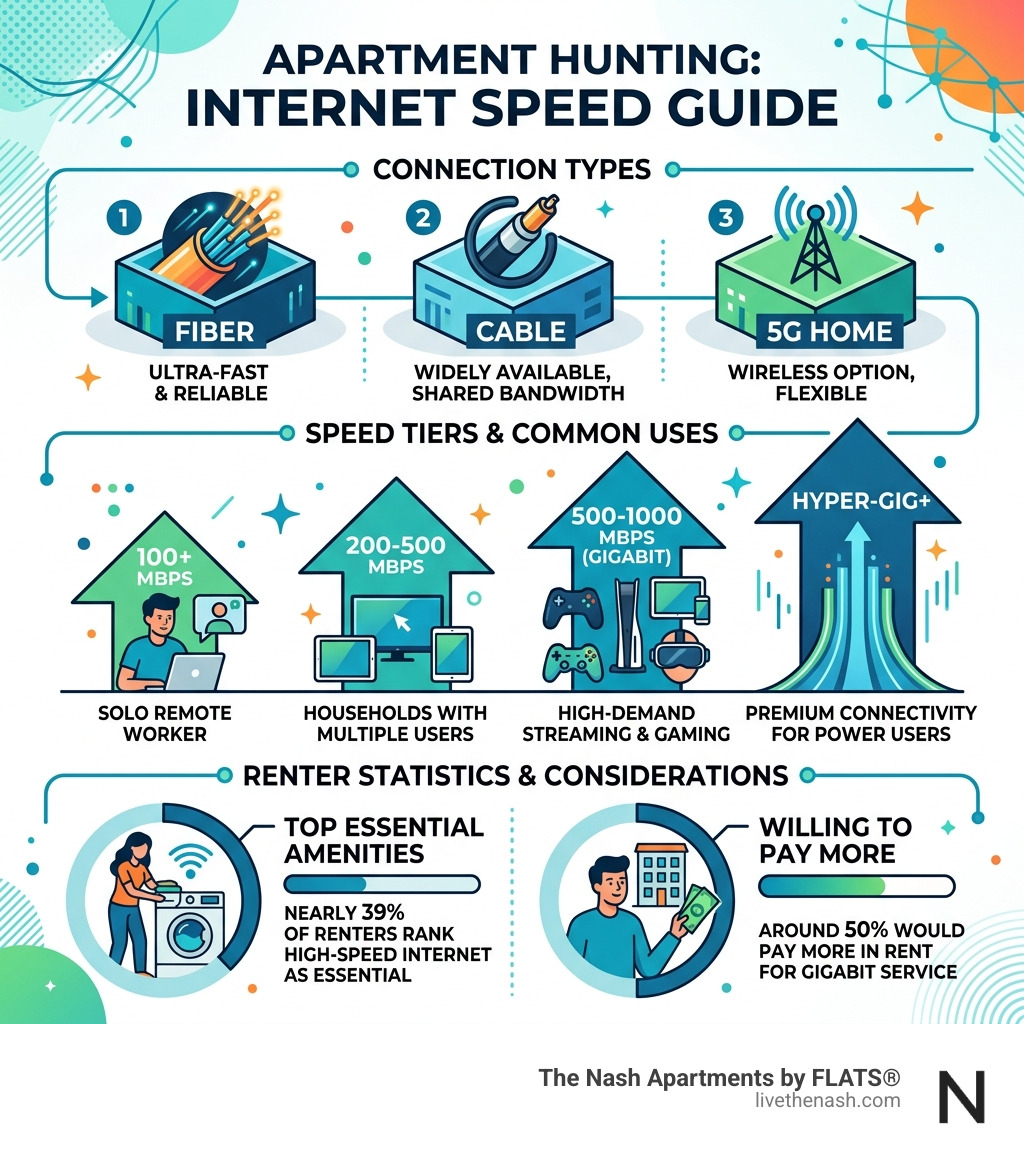
- Check the connection type first. Fiber is the gold standard. Cable is widely available. 5G home internet is a flexible backup.
- Know your speed needs. Solo remote workers need at least 100 Mbps. Households with multiple users streaming and working should target 200–500 Mbps or more.
- Ask about the building's wiring. Older buildings may limit what speeds are actually achievable, regardless of what a provider advertises.
- Find out if internet is included in rent. Some buildings offer bulk-billed or managed Wi-Fi. Others require you to set up your own plan.
- Verify real-world speeds. Real speeds are typically 70–80% of what providers advertise, so plan accordingly.
The numbers back this up. Nearly 39% of renters now rank high-speed internet as essential — putting it on the same level as in-unit laundry. And around 50% say they prioritize fiber or gigabit service when choosing their next home.
It's not hard to see why. More people are working remotely, streaming in 4K, running smart home devices, and taking online classes — all at the same time, from the same apartment.
Getting this right before you sign a lease can save you a lot of frustration. This guide walks you through everything you need to know.
Why Apartments with High Speed Internet are the New Standard
The landscape of modern living has shifted dramatically. It wasn't long ago that a pool or a fitness center was the primary draw for a new building. Today, the most important "pipe" entering your home isn't just for water—it’s the fiber-optic cable bringing the world to your screen.
With roughly 14% of professionals now working virtually, the home office has moved from a "nice-to-have" corner to the most active room in the house. This shift has made Apartments with Fast Internet a non-negotiable requirement. Whether you are handling high-stakes video conferences, transferring massive cloud files, or managing a suite of smart home devices, your bandwidth is your lifeline.
The Resident Demand by the Numbers
The statistics are clear: renters value connectivity as much as physical convenience.
- 39% of renters rank high-speed internet as an "essential" amenity, placing it in the same tier as in-unit laundry.
- 50% of renters prioritize fiber or gigabit service when selecting a home.
- Properties that offer "gig-ready" service often see increased resident satisfaction and retention.
Beyond work, our entertainment habits have evolved. 4K streaming, online gaming with low latency, and virtual reality all require a robust backbone. Furthermore, modern apartments often feature smart thermostats, lighting, and security cameras that require constant, reliable connections to function correctly. When you choose apartments with high speed internet, you aren't just paying for web browsing; you're investing in a seamless, modern lifestyle.
Understanding Connection Types: Fiber, Cable, and 5G
Not all internet connections are created equal. When browsing listings for apartments with high speed internet, it is vital to understand the technology behind the wall.
Fiber-Optic: The Gold Standard
Fiber is the "galloping gazelle" of the internet world. It uses light to transmit data, offering speeds up to 1,000 Mbps (1 Gig) or even higher. The biggest advantage of fiber is symmetrical speeds. This means your upload speed is just as fast as your download speed—a massive benefit for anyone who frequently uploads large video files or spends hours on Zoom calls. Currently, fiber covers about 50% of urban areas according to data from the FCC, but it is the top choice for new, luxury developments.
Cable Broadband: The Reliable Veteran
Cable internet uses the same coaxial copper wires that deliver TV service. It is incredibly common, reaching roughly 97% of urban areas. While it can offer download speeds up to 1,200 Mbps, its upload speeds are significantly slower than fiber. In a crowded apartment building, cable speeds can sometimes dip during "peak hours" when everyone in the building is streaming Netflix at the same time.
5G Home Internet: The Flexible Newcomer
5G fixed wireless is a game-changer for renters. It doesn't require a technician to drill holes in your walls; you simply plug in a gateway and connect to the local cellular tower. It is portable, meaning you can take it with you if you move, and it sets up in minutes. While speeds can vary based on your proximity to a tower, it is a fantastic alternative if the building's wired infrastructure is outdated.
Comparison Table: Internet Performance
| Feature | Fiber-Optic | Cable Broadband | 5G Home Internet |
|---|---|---|---|
| Max Download | 1,000 Mbps - 8,000 Mbps | Up to 1,200 Mbps | 100 Mbps - 1,000 Mbps |
| Upload Speed | Symmetrical (Fast) | Asymmetrical (Slower) | Variable |
| Reliability | 99.9% Uptime | High (can vary at peak) | Variable (weather/distance) |
| Installation | Professional/Pre-wired | Professional/Self-kit | Instant Self-Setup |
| Best For | Power users & Gamers | Families & Streaming | Renters & Small Households |

How to Verify and Optimize Your In-Unit Wi-Fi
Finding a building that advertises apartments with high speed internet is only the first step. You also need to ensure that the signal actually reaches your couch, your bed, and your desk.
Verification Before You Move
Don't take a listing's word for it. Use address availability tools provided by major ISPs like AT&T or Cox to see exactly what speeds are offered at that specific street address. If possible, run a speed test on your phone during a tour. That real-world speeds are often 70–80% of the "advertised" maximum due to network overhead.
Optimization Strategies
Once you've moved in, follow these tips to maximize your performance:
- Central Router Placement: Don't hide your router in a closet or behind a metal TV stand. Place it in a central, open location to ensure the signal doesn't have to fight through multiple walls.
- Use Wi-Fi 7 or Wi-Fi 6: If you're buying your own equipment, ensure it supports the latest standards. Wi-Fi 7 is designed for high-density environments like apartments, reducing interference from your neighbors' networks.
- Mesh Networking: In larger two- or three-bedroom layouts, a single router might not cut it. A mesh system uses "nodes" to blanket your entire home in a seamless signal, eliminating dead zones.
- Wired Connections: For your most important devices—like a gaming console or a work PC—use an Ethernet cable. A wired connection is always faster and more reliable than Wi-Fi.
Managed Wi-Fi vs. Private Networks
Some modern buildings offer "Managed Wi-Fi," where the entire property is covered by one massive network. While convenient (it's usually move-in ready), it can sometimes lead to congestion. If security is a concern, always use a VPN on shared networks, or look for buildings that offer private, professionally managed networks for each individual unit.
Essential Questions for Property Managers Before Signing
Before you sign on the dotted line, you should interview your property manager about the building's tech stack. Here are five questions to get you started:
- Which ISPs serve this building? It is always better to have a choice between at least two providers to ensure you have the best service options.
- Is the building pre-wired for fiber? If the building is older, it might only have copper wiring, which will cap your maximum possible speeds.
- Is internet included in a bulk-billing agreement? Some apartments include internet in your monthly agreement. Ensure you know if this is optional or mandatory.
- Can I install my own equipment? Some managed systems require you to use their routers. If you are a power user, you’ll likely want the freedom to use your own high-end gear.
- Are there known dead zones in the building? Ask if the Wi-Fi reaches common areas like the rooftop lounge or the fitness center.
Finding Apartments with High Speed Internet in Top Markets
The demand for connected living is strongest in urban hubs where tech-savvy professionals congregate. In these markets, high-speed internet isn't just a utility—it's part of a luxury package that includes smart home features and co-working spaces.
Evaluating Apartments with High Speed Internet in San Diego
In San Diego, particularly in the vibrant neighborhoods of North Park and University Heights, connectivity is a major lifestyle driver. These areas are home to many remote workers and creatives who need to stay "plugged in" while enjoying the local culture.
When looking for apartments with high speed internet in San Diego, look for properties that go beyond just providing a jack in the wall. The best modern communities offer:
- Co-working Lounges: Dedicated spaces with high-speed Wi-Fi so you can get out of your apartment without losing productivity.
- Property-Wide Coverage: Seamless internet that follows you from your living room to the poolside cabanas or the rooftop lounge.
- Infrastructure for the Future: Buildings that were constructed or renovated after 2010 are much more likely to have the internal wiring necessary for gigabit and multi-gigabit speeds.
Frequently Asked Questions about Apartment Internet
What speed tier is recommended for a household with multiple remote workers?
For a household with two or more people working from home, we recommend a plan with at least 300 to 500 Mbps. This ensures that while one person is on a video call, another can download large files or stream a presentation without causing lag. If you are involved in content creation or heavy gaming, a 1-Gig (1,000 Mbps) plan is the best choice to avoid any bottlenecks.
Is it better to use the building's managed Wi-Fi or set up a private network?
Managed Wi-Fi is great for convenience because it is usually active the moment you move in. However, a private network—where you have your own account and router—gives you more control over security settings and hardware. If you use a building-wide shared network, we highly recommend using a VPN to protect your personal data.
Can I install my own fiber-optic line if the building is not pre-wired?
Generally, no. Installing fiber requires significant infrastructure work that involves the building's owners and the ISP. If your building isn't wired for fiber, your best alternatives are high-speed cable or 5G home internet, which can often provide speeds that rival fiber for most everyday tasks.
Conclusion
Choosing the right apartment today means looking beyond square footage and countertops. In our hyper-connected world, apartments with high speed internet provide the foundation for your career, your education, and your entertainment. By understanding the types of connections available and asking the right questions, you can ensure your next home is ready for whatever the digital future holds.
At The Nash Apartments by FLATS®, we understand that modern San Diego living requires a blend of style and high-tech utility. Located at the intersection of University Heights and North Park, our luxury community is designed for those who refuse to compromise.
Whether you're working from our sophisticated co-working lounge, relaxing in our poolside cabanas, or taking in the views from our rooftop lounge, you'll find an environment that supports your lifestyle. Our amenities include:
- A two-story fitness center for your wellness goals.
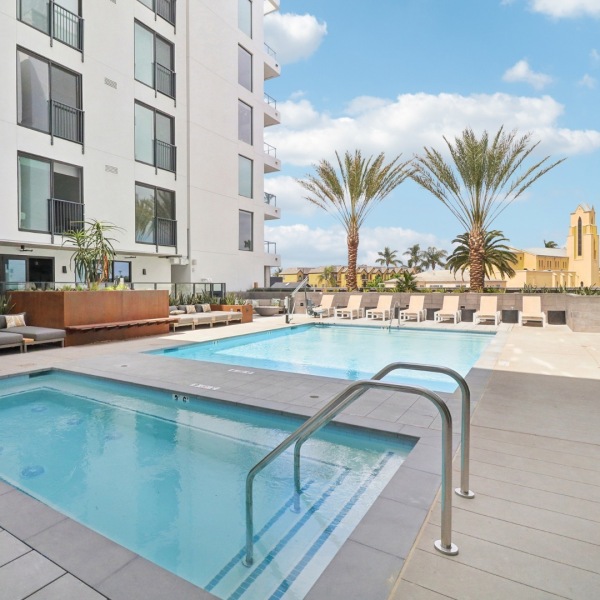
- A pool and hot tub for ultimate relaxation.
- EV chargers for the eco-conscious driver.
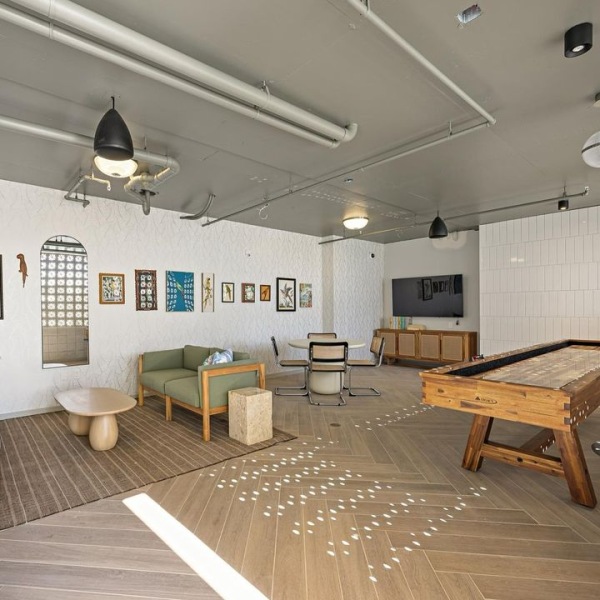
- An open-air game room for social evenings.
- A pet-friendly policy that welcomes up to two of your furry friends.
Experience the pinnacle of San Diego living where luxury meets hyper-connectivity. More info about luxury amenities is available on our website—come see why we are the premier choice for your next home.